Problem
A while back I saw a few articles talking about how many consumer routers don't hit gigabit speeds. Seemed like either putting in for a $200+ consumer router or making your own was the way to go. Interesting.
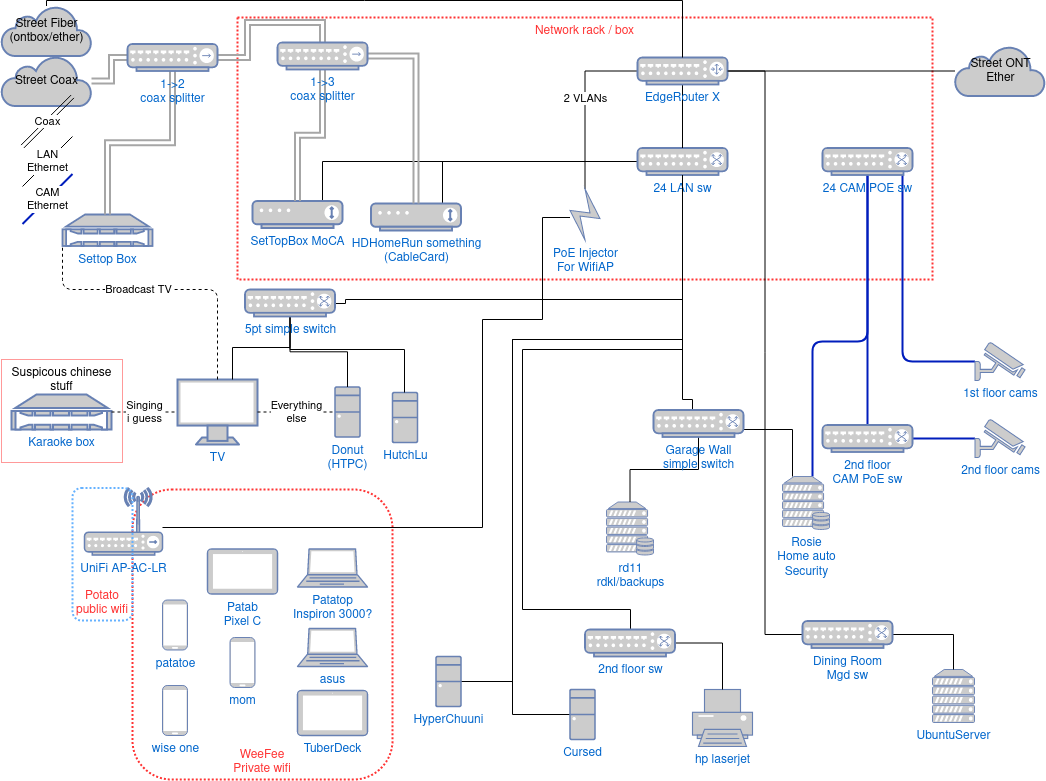
My Ubiquiti EdgeRouter X was pretty cheap honestly and it does more than your typical consumer router at the time that I got it. I have Openwrt loaded on it and at the moment it does some VLANs, Adblocking, dynamic DNS, VPN, and traffic shaping. The two important ones here are VPN and traffic shaping. VPN requires the use of a beefier CPU or one with encryption extensions built-in. However, IIRC Wireguard won't benefit from AES-NI while OpenVPN will so it depends what is used. Traffic shaping just takes CPU and I've read somewhere on the Openwrt forum that my chipset will cap out about 300-600mb/s because of it. It is needed because of buffer-bloat issues so I can't really not have it. My ping times consistency certainly has gotten much better with it on. The best part is that mumble and games aren't slowed when downloading things off of Steam or other large transfers that don't depend on latency.
Candidates
For a long time I've been eyeing a Mikrotik RB5009G. WOW it's cool!.
- 4 routers fit in 1U rack
- passively cooled
- 1x SFP+ 10g
- 1x RJ45 2.5g
- 7x RJ45 1g
- 1 USB3
- 3 ways to power
- Marvell Armada Quad-core ARMv8 1.4 GHz CPU
- 1gb ram and 1gb nand
In addition, it was gaining support in Openwrt to some degree. I was holding out on confirmation that it would get an official build but mostly for confirmation that SFP+ and the 2.5g port works. It also costs $220.
At the same time I was looking at some x86 based routers like the ones from Protectli or Topton via Aliexpress. I was super close to pulling the trigger on the Topton unit. After I waited for a sale and did one more round of checking, I found someone on the ServeTheHome forums saying that their unit turned out to have an engineering sample CPU! The ones who has ES CPUs were having stability issues and one even found uncleaned flux all over the place inside. One person got ghosted by support until they went to Aliexpress to complain. No thanks screw Topton. Protectli just feels a bit too expensive for what I'm getting.
Winner!
Luckily I found the the AOC-STGN-I2S Rev 2.0 on ebay for $50! WHAT! Wait a second, I need this in one of my PCs anyways to validate the higher speeds. For $50 I can also just add it to some old PC and make that into a router! What a no-brainer. Also 10gig RJ45 transcievers are EXPENSIVE! 3.5x price at FS compared to fiber and also consumes much more power which adds up fast in a many port device.
The total damage:
- $20 ea - 2x SFP+ fiber transceivers from FS.com
- $4.30 1m OM4 cable from FS.com
- $6 ea - 2x full height brackets from eBay
- $50 ea - 2x AOC-STGN-I2S Rev 2.0 from eBay
so kewl, such fiber, much spede, still upgradable, many lerning
The Routers
I have two old systems to play with
System 1:
- A6-7400k
- 2 x 4gb DDR3 1600
- Asrock A88M-G/3.1 (micro-atx)
System 2:
- A6-6400k
- 2 x 2gb DDR3 1333
- Gigabyte GA-F2A58M-HD2 (mini-itx)
To keep writing later:
Broken Booting
- Tried to boot into Opnsense, instant reset
- in safe mode, gets to installer but upon configuring drive, reset
- manjaro, reset. mess with some settings, reset on accessing desktop for 3 seconds
- trouble with posting, experience with nao's, ty level1forums, bad PSU, also bad handling of USB and net boot
Results
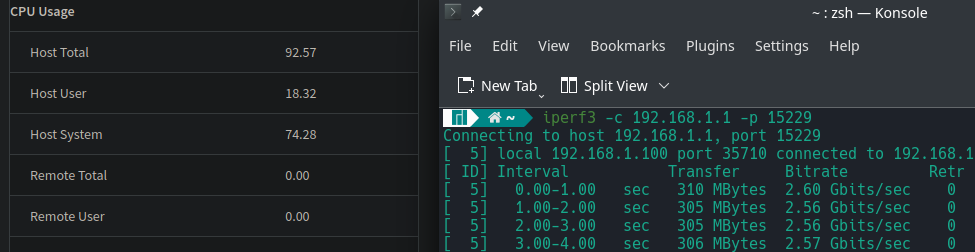
- Speed testing with A6-6400k hitting 2.6 gb/s
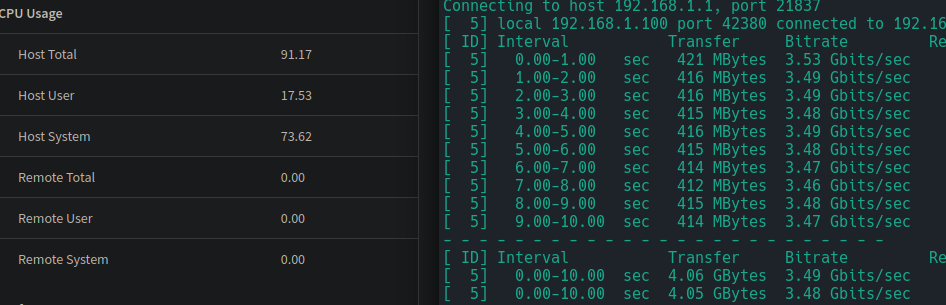
- Speed testing with A7-7400k hitting 3.5gb/s
- note: this is a HOT! card. It is a server card so it is supposed to have generous airflow across it. I need to take a temp check but it almost burned me. I have a spare 80mm fan leaning against it for now and I hope that the one in my main workstation is ok.
Side note: windows vs linux handling of devices
I'm not sure why but in Windows, when a USB device changes such as plugging in or unplugging, it has a tendency to cause a full system freeze. I'm wondering now as I'm typing this that maybe its an AMD thing? And by freeze I mean a split second hang and that it gets worse for more complicated devices. Flashdrives don't seem to do it, but some headsets do. This problem doesn't happen in Linux at all so I don't think its an AMD thing.
What I noticed that it happens when the link state changes on this network card! When I turn off the router, the link goes to "unplugged" but it hangs for about 3 seconds! Once again, doesn't happen in linux.